




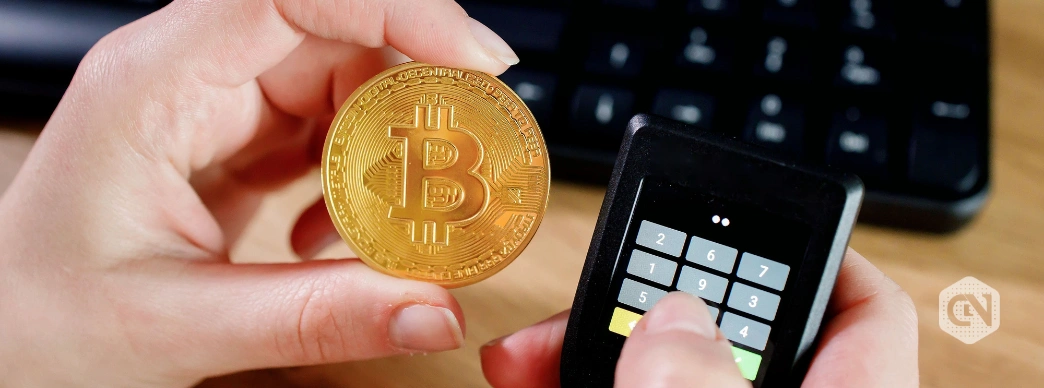
Key Highlights
- Hardware wallets are known for their security as they provide full self-custody of your cryptocurrencies.
- These hardware wallets help users to protect against most cyber attacks as they store private keys on a physical device isolated from the internet.
- While these hardware wallets ensure the safety of funds, it is important to take precautions while transacting cryptocurrency.
A hardware wallet is one of the most secure ways to store cryptocurrency in an era where hacks, phishing attacks, and exchange failures remain the biggest threats. Unlike web-based or software wallets (also known as “hot wallets”), hardware wallets keep your private keys completely offline.
This kind of mechanism automatically reduces the risk of cyber attacks. In this guide, we will explain how to set up a hardware wallet step-by-step. Also, this blog shares common red flags to watch for during transactions, which can help you to ensure the security of your crypto assets.
But before directly jumping straight to the topic, let’s understand the benefits of hardware wallets over other types, like web wallets.
Benefits of Hardware Wallet over Web Wallet
It is true that web wallets, including those on exchanges like Coinbase or browser extensions like MetaMask, come with convenience for quick trades and daily use. However, they stay connected to the internet, and it simply means that they are continuously exposing private keys to malware, phishing sites, keyloggers, and server breaches. If a platform gets hacked or you land on a fake login page, your crypto holdings can be wiped in a fraction of a second.
On the other hand, hardware wallets, often known as “cold wallets,” store private keys on a physical device isolated from the internet. Transactions are signed on the device itself, never exposing keys to your computer or phone.

(Source: databridgemarketresearch.com)
This “air-gapped” process makes transactions secure from most online attacks. Even if your computer is infected with malware, the attacker can not access or steal your keys without physical possession of the device and your PIN. This is the reason why demand for hardware wallets in the upcoming years is expected to grow.
There are many other advantages of using a hardware wallet, and here are some of these advantages;
- Great Security – Private keys never leave the device as you signs transaction offline
- Protection from Remote Hacks – No internet connection during key storage means an impressively reduced risk compared to always-online software wallets.
- Recovery via seed phrase – A 12 or24-wordd backup lets you restore access if the device is lost or damaged
- Multi-asset support – Popular models like Ledger Nano X or Trezor Model T support thousands of cryptocurrencies, from Bitcoin to altcoins and different tokens
- Physical confirmation – You manually verify and approve every transaction on the device’s screen. By doing this, one can prevent unauthorized transfers of cryptocurrencies.
How to Set Up a Hardware Wallet (Step-by-Step Guide)
It takes less than 30 minutes to set up the hardware wallet and start using it. Her,e we took an example of popular hardware wallets like Ledger or Trezor, as processes are similar across different brands.
- Purchase from a Trusted Source – One should also buy a hardware wallet directly from the official website or authorized resellers. Avoid third-party sellers like Amazon or eBay to prevent tampered devices with pre-installed malware.
- Unbox and Inspect – Before using the wallet, it is advisable to check for tampering to ensure that it is secured. The package should include the device, USB cable, recovery sheets, and instructions. If anything looks suspicious, contact the company immediately.
- Download Official Software – Go to the official website and install the companion application, such as Ledger Live for Ledger service or Trezor Suite for Trezor. Do not use links from emails or searches; type the URL manually to avoid phishing sites.
- Connect the Device – Plug in via USB (or pair via Bluetooth for Ledger Nano X). The device powers on and displays setup prompts.
- Install Firmware – The app detects the device and prompts a firmware update. Follow the on-screen instructions to install the latest version, as this patches security.
- Create a New Wallet – Choose “Set up as new device.” Your hardware wallet will generate a unique seed phrase (12-24 words) displayed only on the device’s screen.
- Save Your Seed Phrase – You must save your seed phrase by writing it exactly in order on the provided recovery sheet. Also, for another breakup, you can store it offline in a safe place, like paper.
- Verify the Backup – For one more confirmation, the hardware wallet will ask you to complete a quiz to confirm random words from your list.
- Set a Strong PIN – Create a strong PIN of 4 to 8 digits.
- Install Apps – You will have to add support for your cryptocurrencies by downloading the companion app. This installs mini-apps on the device without exposing keys.
- Fund Your Wallet and Verify It Works – Create your receiver address in the app and confirm that it is the same as the device’s screen.
Common Red Flags to Identify Scam Signs During Transactions
While hardware wallets are known for their safety, it is important to watch out for red flags as scammers target users through different types of attacks.
- Phishing Emails – The first and most common type of cyberattack is a phishing attack, such as urgent alerts from support asking to connect your wallet or type your seed phrase. This is similar to scammers asking you for your bank details, like CVV number and PIN of your credit cards.
- Avoid Fake Websites and Applications – Before using any website or application, you must ensure that it is an official website with cross-verification.
- Unrealistic Giveaways – Never fall for fake promises of free crypto if you connect your wallet or approve a transaction. Most of the time, this leads to “drainware” that empties your wallet.
- Address Mismatches – When sending, always verify the full address on your hardware device’s screen, not just the computer. Malware can swap addresses, which is also known as address spoofing.
Summing Up
Hardware wallets help you to get true self-custody of your cryptocurrency holdings. You not only hold your private keys, but also you ensure the safety of your hard-earned money till it is locked in it. By storing private keys offline, verifying transactions physically, and backing up your seed securely, you protect against the majority of threats attacking the crypto sector.
Also Read: Top Cryptocurrencies That Have Tokens Linked to RWA
See less

